

SuperBox S6 ULTRA Lag-Free 6K Streaming Device
$369.00
促销价
$369.00
常规价格
跳至产品信息


SuperBox S6 ULTRA Lag-Free 6K Streaming Device
The SuperBox S6 ULTRA is a top-tier streaming media box powered by Quad-core ARM processor with Mali-G31 MP2 GPU. Built-in 4GB DDR RAM and 128GB large eMMC storage, it supports WiFi6 dual-band network, 1000Mbps wired Ethernet and Bluetooth 5.2. It decodes H.265 video up to 6K@60fps, delivering ultra-clear, buffer-free home entertainment for all TVs.
$369.00
促销价
$369.00
常规价格
✅ Security and Service
∨
🛡️
Payment Security
🔒
Privacy Protection
🚚
Efficient and Safe Logistics
🎧
Customer Service

SuperBox S6 Ultra is the latest limited edition of SuperBox, featuring a stylish grey design. With its revolutionary time-lapse feature, SuperBox S6 Ultra allows you to catch up with the past 8 hours of shows, ensuring you never miss your favorite shows. Equipped with 4GB RAM and 128GB storage space, this device is a true multimedia device. Thanks to its 1000Mbps Ethernet connection, dual band WiFi, and cutting-edge WiFi 6 technology, you can enjoy lightning fast streaming. In addition, the upgraded Bluetooth remote control comes with voice commands for easy navigation of your content.
Core Features
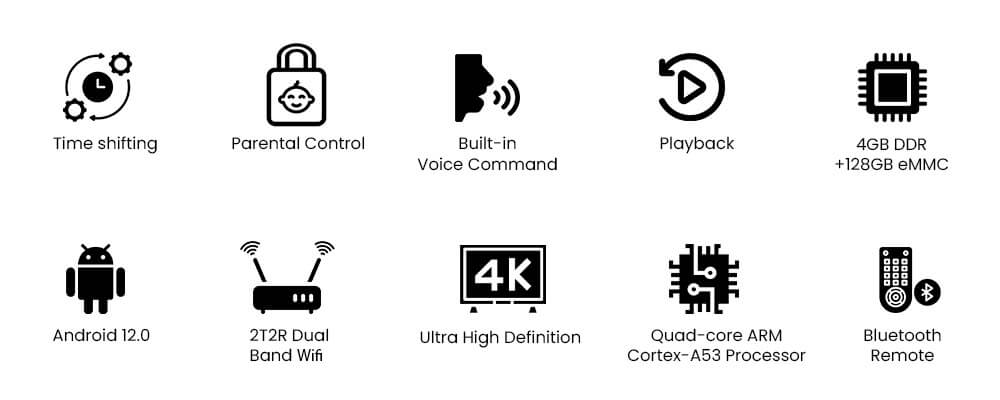
Time Shift

SuperBox S6 Ultra pioneers the groundbreaking Time Shift technology, redefining the IPTV viewing standard. Unlike ordinary playback tools, it lets you instantly pull up any live program from the last 8 hours with a single tap. This revolutionary function safeguards every exciting moment of live shows, bringing you unmatched speed and convenience to replay missed highlights at will.
Parental Control

The SuperBox S6 Ultra includes a brand-new parental control capability, allowing users to effortlessly lock specific channels for more control over watching selections. This function provides a safer and more personalized entertainment experience for families.
Ultra Quality Up to 6K

Boasting professional-grade Mali-G31 MP2 GPU, SuperBox S6 Ultra is perfectly tuned for all kinds of streaming media content. It enables seamless 6K resolution video decoding to display ultra-clear high-definition visuals. The specialized graphics core greatly upgrades overall picture quality by refining image clarity, boosting color depth and smoothing fast-moving scenes such as sports matches and action films.
Latest Voice Control Technology

The SuperBox S6 Ultra has the most powerful voice command technology in the streaming business, allowing you to easily search for specific content with just your voice.
SuperBox S6 Ultra Cast in Pure Metal
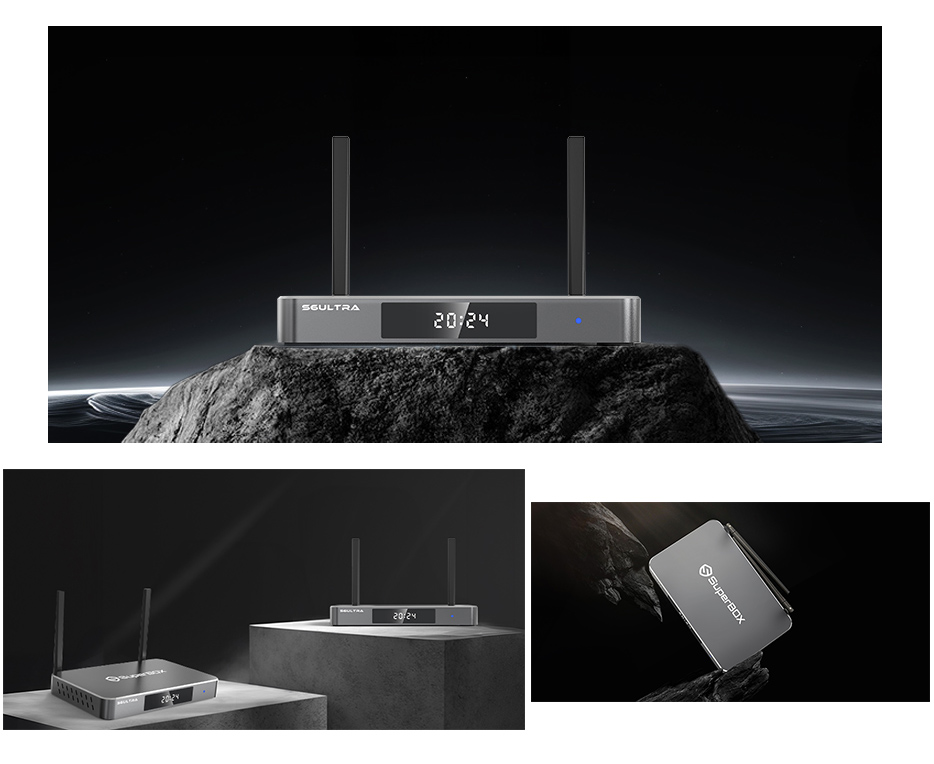
The SuperBox S6 Ultra adopts an exquisitely crafted gray metal chassis with refined workmanship. Its sleek, polished metallic finish delivers a minimalist yet premium aesthetic that blends seamlessly with any home entertainment setup. Beyond striking visual appeal, the sturdy metal construction embodies superior build quality, offering reliable heat dissipation and durable long-term use.
Ports Configuration
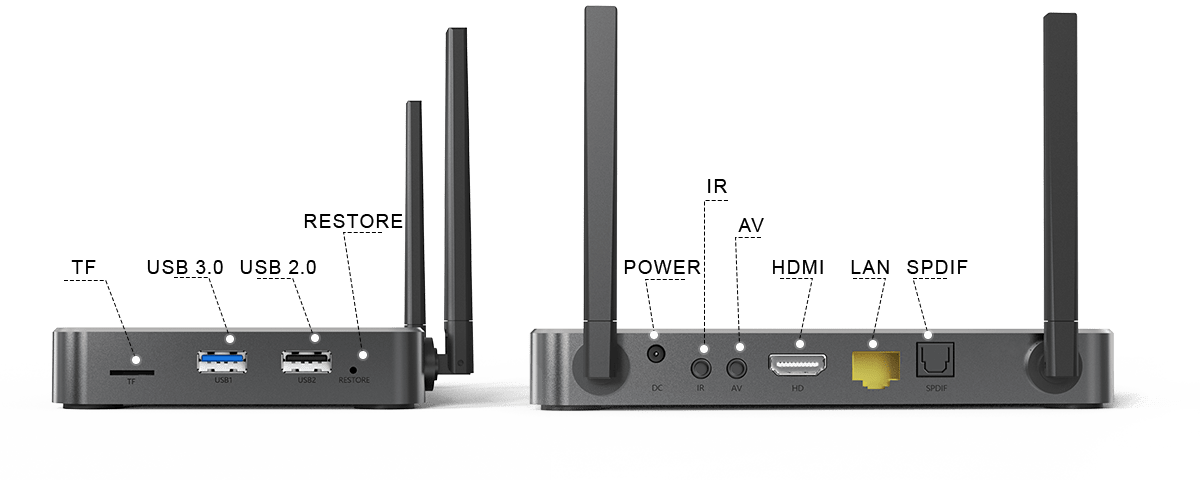
SuperBox S6 Ultra Specifications
| Specification | Details |
|---|---|
| Model | SuperBox S6 Ultra |
| Operating System | Android 12.0 |
| Processor | Quad-core ARM Cortex-A53 |
| GPU | Mali-G31 MP2 |
| RAM | 4GB DDR |
| Storage | 128GB eMMC |
| WiFi | Dual Band (2.4G+5G), WiFi 6 |
| Ethernet | 1000Mbps Ethernet |
| Bluetooth | 5.2 |
| Controller Type | Voice Control Remote, Keyboard Compatible |
| Video Decoder | H.265 6K@60fps |
| Power Supply | DC 5V/2A |
What's In The Package
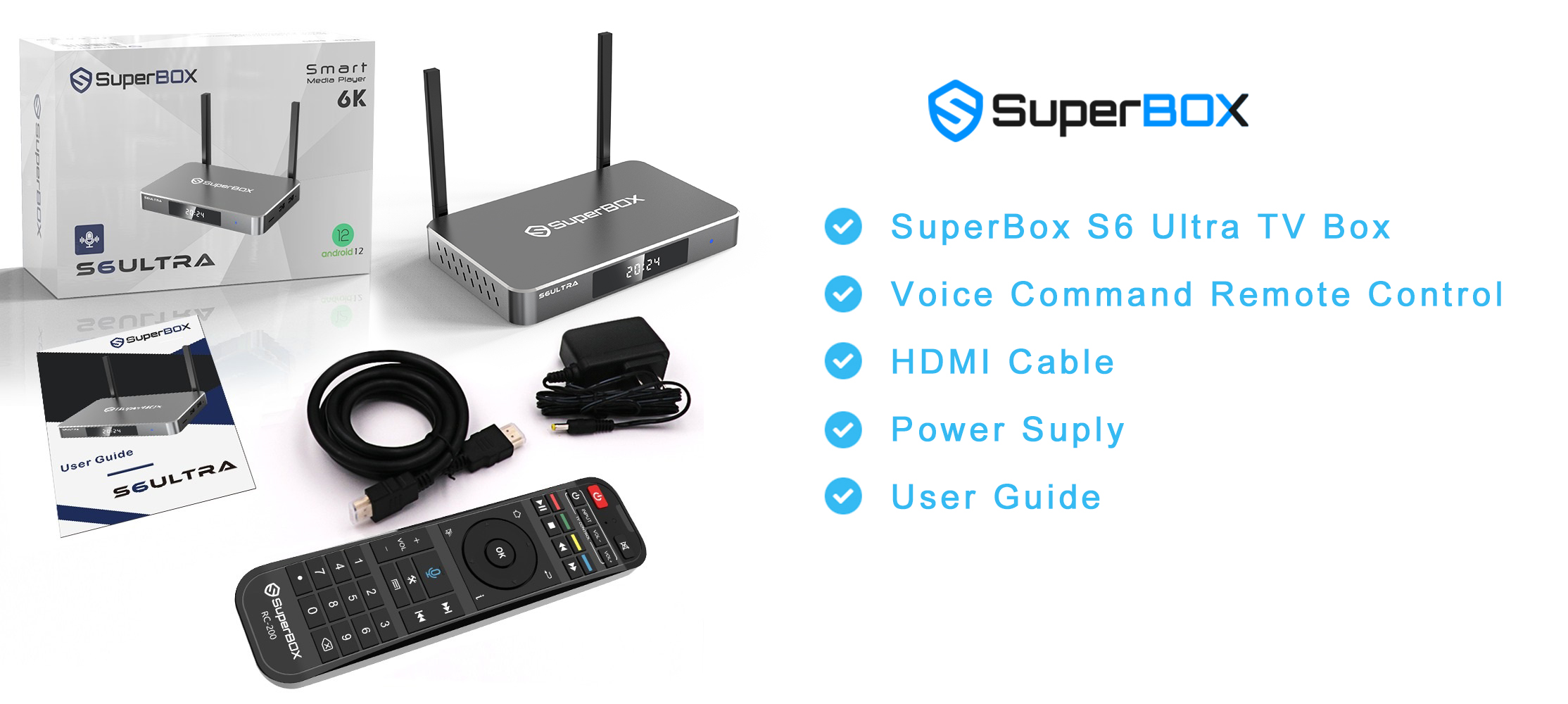
-
SuperBox S6 Ultra TV Box
-
Voice Command Remote Control
-
HDMI Cable
-
Power Supply Cable
-
User Guide
How to Set Up a SuperBox S6 Ultra in Minutes
If you're looking for a powerful yet easy-to-use media streaming device, the SuperBox S6 Ultra is the answer. With the SuperBox Android TV platform, you can enjoy thousands of live TV channels, movies, sports, and more — no cable subscription required. Use voice control to navigate effortlessly and access over 500,000 apps on the Google Play Store.
All you need is an internet connection and a TV with an HDMI port. Follow these simple steps to get started:
Step 1: Get Connected
-
Insert the power adapter into both the wall outlet and the SuperBox S6 Ultra.
-
Connect the HDMI cable from the box to your TV.
Step 2: Power On
-
Turn on your TV and select the correct HDMI input source.
-
Press the power button on the box or the remote to turn on your SuperBox S6 Ultra.
Step 3: Set-Up Guide
-
Select the display scale that fits your screen.
-
Follow the on-screen instructions to connect via Wi-Fi or Ethernet.
Step 4: Premium Apps
-
Navigate to Apps and open the App Store.
-
Install your preferred premium apps.
-
Launch the newly installed apps and download the content catalog.


